I’m a skeptic when it comes to using mobile devices for anything professional. Having used the Adobe creative products for years, my standard for using professional software is very high and continues to get higher as post software continues to evolve. So when I was contacted about checking out a new iPad video editing app calling itself a solution for professionals, I was skeptical. After using iMovie on the iPad and iPhone, I knew editing anything more than a family weekend vacation video wasn’t going to look or feel pro. The detail tools to make small and important adjustments were missing and the flow of editing just always feels… clunky.
Enter Luma Fusion. For the first time, literally, I’m excited about editing on the iPad. Why? 5 big reasons this is a major step forward in video editing on iOS below –
Input and Output of Video
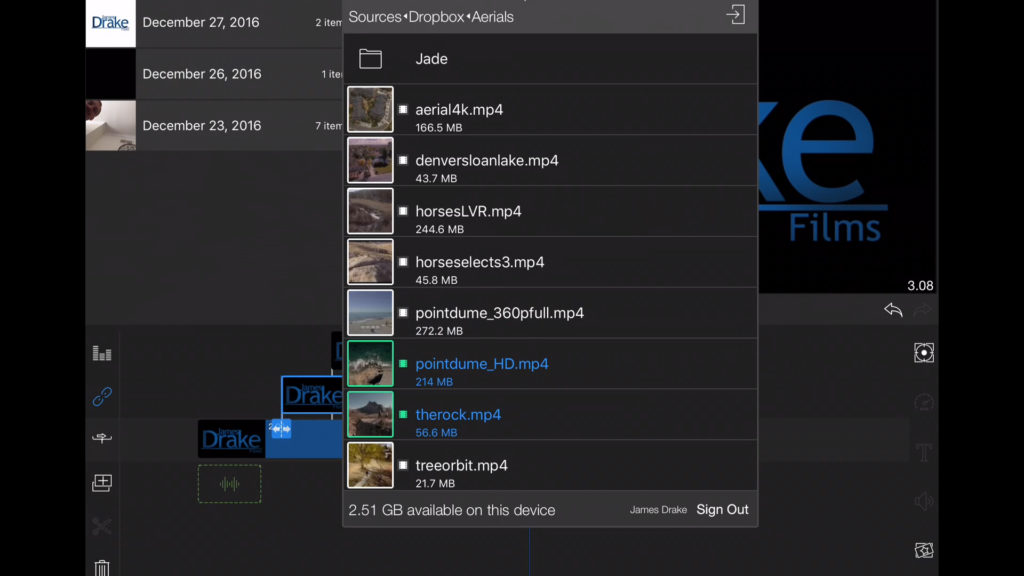
Just getting footage into an iPad seems like a challenge with a general lack of normal computer inputs. The great bonus for Luma Fusion is their compatibility with services like Box, Dropbox, Google Drive One Drive, and of course the default iOS photos app. I’m a big Dropbox user, so as soon as I connected Luma Fusion, I was able to access my media quickly and easily. You simply import a file, it downloads it locally to the iPad, and you’re off! Love that flow. Feels similar to ingesting media to a standard NLE.
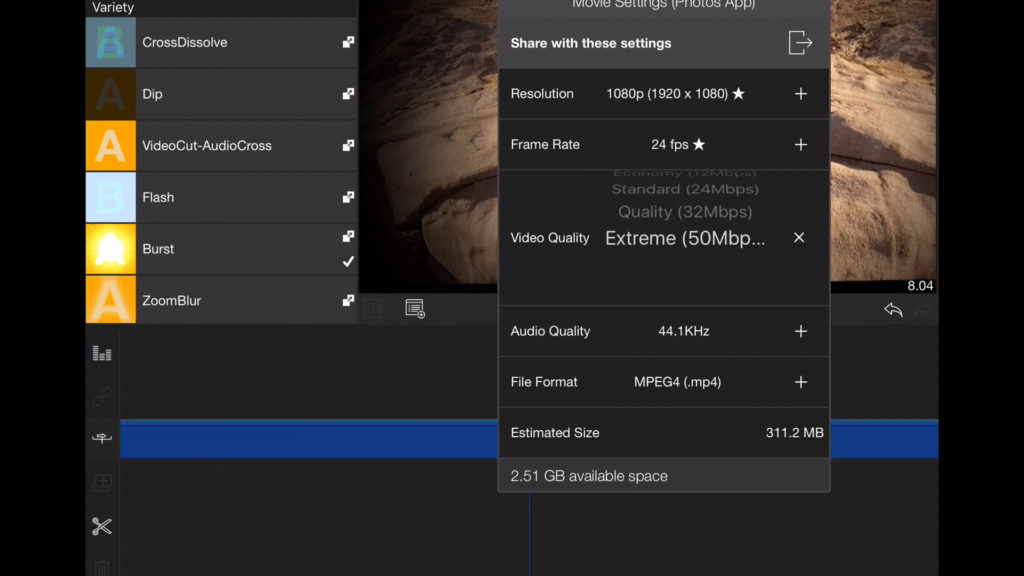
Getting footage out of the iPad, or more commonly exporting, is also limited in most iOS applications. I love the audio and video bitrate selection, as well as frame rate and destination selection. Feels much more flexible creating a much more valuable tool.
Fast and Reliable
I did the app testing on an iPad Air v1 (not pro!), which isn’t by any means fast as far as tablets are concerned in 2016. I had my doubts about how the performance would work with multitrack and effects… after all 3 years in technology is an eternity! (*cough* Mac Pro). Luma Fusion blew me away with performance. I was editing 1920×1080 files with no problem, adding layers, adding effects from their selection that are processing intensive… all in real-time. The developers mentioned that if you have newer hardware, like the 12.9″ iPad Pro or iPhone 7, you’ll be able to edit in 4k.
I also never had one issue with the app crashing or slowing down. It’s great to have the original Pinnacle Studios team working on an app because they understand app development, and that’s clearly playing here.
True Multitrack
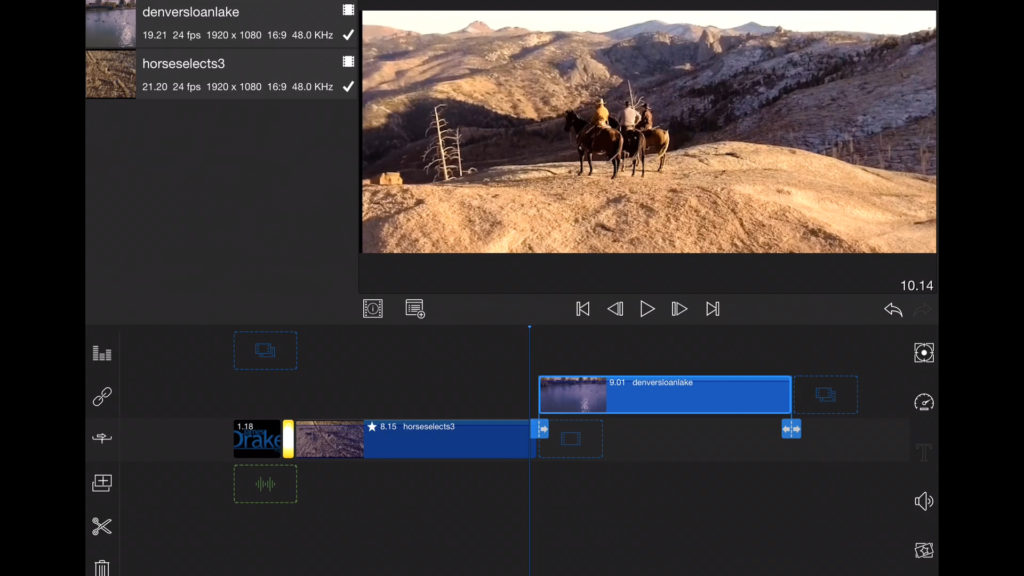
Other editing apps have pseudo second track functions, but Luma Fusion offers 3 true video and audio tracks. This makes me feel at home in their editing interface and allows for a much more professional flexibility at the tap of a finger. Shifting audio and video tracks around, zooming in and out with ease and seeing the timeline, it all feels right.
Titles, Transitions, The Little Things
There’s a whole host of professional transitions for most situations. I also love the title app, it’s as flexible as Adobe’s Titling system in Premiere Pro. You can import images, and it supports transparency, which is awesome if you need to add a logo or speciality image on your footage. I added my logo with ease and was able to modify and move it around with ease!
I also love the screenshot function, an easy tool to send out reference images. Just one tap and you’ve got a quality still of your sequence in the photos app!
Undo and Redo buttons are on the right hand side and beautiful. These functions make trying things a breeze, really like these buttons.
Excellent Features Ahead
Aside from the excellent functionality the app already offers, the developers are looking ahead at how to really turn your iPad into an editing suite. They’ve got wonderful features planned such as:
Bluetooth keyboard support (for shortcuts)
Export to NLE
Metatagging 360 video
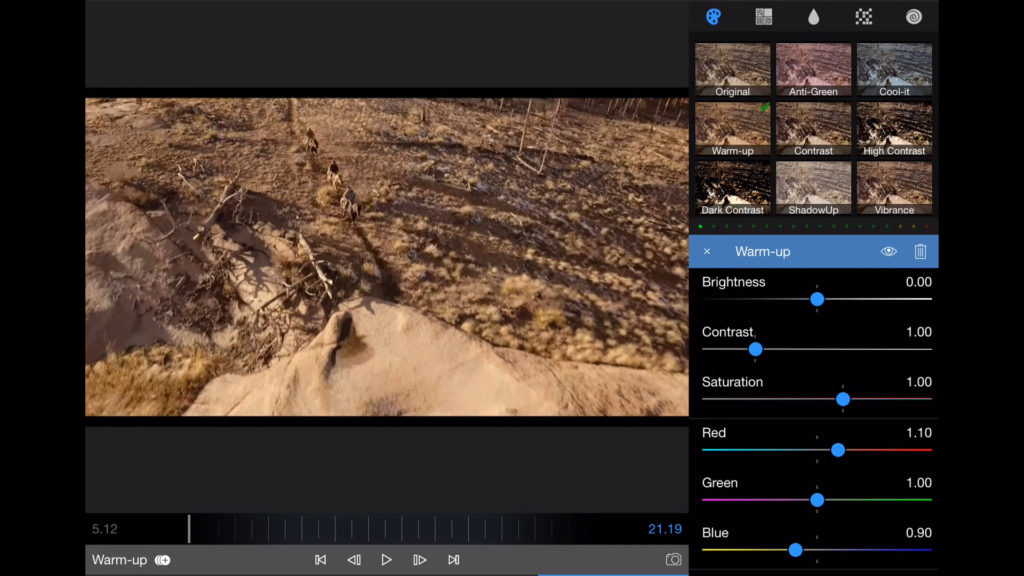
Advanced Color Correction
Color LUTS
Curve Keyframe Editing
There’s a lot of features I didn’t get into, but go check out Luma Fusion on iTunes. This is pro editing on the iPad as it should be! Oh, and did I mention the app is only 121 mb? Vs iMovie’s not so tiny 697 mb!
Stay tuned for more updates and new blogs! Subscribe to our newsletter and social channels to stay up to date!!